

Tour review · SELF-GUIDED TOURS
Miami Audioguide – TravelMate app for your smartphone
Miami gets easier when you press play. This Miami Audioguide via the TravelMate app is a low-stress way to explore at your own pace, with self-guided autonomy and offline listening options on your phone. I like that you can replay the audio as often as you want, without hunting for paper tickets. One thing to think about: you are doing the navigation and timing yourself, so it works best when you enjoy wandering with structure.
You get a “tour guide in your ear” style experience, with audio professionally created by top authors and interpreted by professionals from television and radio. The program totals 100 minutes across 32 audio content pieces, and you can also read the text for the audio files in the app. If you are the type who likes to pause, cross-check, and keep moving, the quiz feature is a nice extra.
At $9 per person with validity for 1095 days from first activation, it is the kind of purchase that can last well beyond a single weekend. It is also marked wheelchair accessible, and earphones are recommended for a better listen. The overall rating is 3.5 based on 4 reviews, so think of it as a practical add-on for your trip, not a full replacement for a live guide who can answer questions on the spot.
Key things to know before you start

- No meeting point and no paper tickets because you just download and begin
- Listen online or offline, so Miami traffic and weak signal do not derail the plan
- Replay as much as you want during the full 1095-day validity period
- 32 audio segments totaling 100 minutes, plus an in-app quiz to test what you caught
- Multiple languages are included: Italian, English, Spanish, German, Russian, Chinese, French
- On-screen text is available in the app, so you can switch modes when needed
More Miami ideas for the space still left in the itinerary
- Self-Guided Audio Tour in Florida Keys★ 4.5 · 84 reviews
- Everglades National Park: Self Guided Driving Audio Tour★ 4.5 · 58 reviews
- Self-Guided Audio Tour – Little Havana★ 3.0 · 9 reviews
- Fun Miami Beach Slingshot Adventure Self-Guided Tour★ 3.0 · 8 reviews
Miami on Your Schedule With TravelMate in Your Pocket

This is a self-guided audio experience. Translation: you do not wait for anyone, you do not compare meeting-point screenshots, and you do not need a group to make progress. You start wherever you prefer, then press play when you want the next story.
I like that the app is built for repeat use. Many “one-day-only” audio options expire or make you choose between listening once or not at all. Here, the audioguide is valid for 1095 days from your first activation, which means you can stretch it across multiple trips or spread it over several days in Miami.
One more practical plus: you can listen online or offline, and you can read the text of the audio files inside the app. That matters in Miami because you might be toggling between sun, heat, and walking breaks. When you are tired of audio or the pace changes, text gives you control.
What You Get: 32 Audio Tracks, 100 Minutes, and Extra Learning Tools
The Miami Audioguide includes 32 audio content pieces with a total duration of 100 minutes. You do not have to do it all in one go. In practice, you can treat it like a buffet: pick the stops you care about that day, then let the audio guide you through history, points of interest, and curiosities.
You also get a quiz section. It is not a replacement for reading or planning, but it is a simple way to keep attention from drifting during a long walk. The audio is professionally created by a group of high-level authors and interpreted by professionals from television and radio, so the delivery is meant to feel polished rather than robotic.
Language coverage is wide, which is useful if you are traveling with someone who prefers a specific language:
Italian, English, Spanish, German, Russian, Chinese, French.
Start Anywhere: Download, Activation Code, and First Listen

There is no meeting point. That is the point. You can download the TravelMate app and start your experience straight away wherever you prefer.
How to download:
- Android: go to the PlayStore and download the app called TRAVELMATE
- iOS: go to the AppStore and download the app called TRAVELMATE TM
Your activation code comes from your email. Look for activity details or the area that shows your tickets. You will find a barcode inside an orange frame, then a 10-digit small number just under the barcode. If you prefer using the GetYourGuide app, you can open the ticket in the app and tap the barcode area to see the activation code.
Practical tip: once you have the code, I strongly suggest doing a test listen before you start your day. Make sure you can hear clearly, and check that your preferred language is selected. It is a small step that prevents the annoying moment of realizing your audio is not playing the way you expected while you are already out walking.
A Smart Way to Pace the 32 Stops Without Feeling Like You’re Working

Because the full audio totals 100 minutes, you can turn this into a flexible plan instead of a strict itinerary. The stops cover classic city sights, museums, parks, memorials, and nature-oriented areas.
A good approach is to group listening with your natural walking rhythm:
- Pick 4 to 8 stops for a day, then use the app like a story queue
- Start with an “easy win” area you will likely visit anyway, then add the more time-dependent stops later
- When it gets hot, switch to text in the app for a couple of minutes, then come back to audio when you can focus
Also, earphones are recommended. If you are in a busy area, keep the volume sensible so you can still hear what is going on around you. Self-guided is great, but you still want to stay aware.
- Little Havana Food and Walking Tour in Miami
★ 5.0 · 8,882 reviews - From Miami: Everglades Airboat, Wildlife Show & Bus Transfer
★ 4.2 · 8,622 reviews - Miami: Biscayne Bay Millionaire’s Homes Sightseeing Cruise
★ 4.5 · 7,348 reviews - Miami: Everglades National Park Airboat Tour & Wildlife Show
★ 4.5 · 7,296 reviews - Miami: Hop-on Hop-off Open-top Bus Tour and Optional Cruise
★ 4.1 · 3,077 reviews
Ocean Drive, Lincoln Road, and the Miami Streets You’ll Keep Passing

This audioguide includes a cluster of major city landmarks and waterfront-style areas, which is ideal if you like walking and noticing how neighborhoods feel. The app includes stops like Ocean Drive, Lincoln Road, Lummus Park, and South Pointe Park. It also covers Espanola Way and Calle Ocho.
What I like about handling these with audio is that you can move at your own speed while the program provides the “why” behind what you are seeing. These are exactly the places where pictures are easy, but context is harder if you do not want to stop and read a dozen plaques.
A practical way to use this section:
- Listen to the intro pieces as you ease into the area
- Save museum-style or deep-history audio for slightly calmer moments, like when you stop for water or a restroom break
- Use the text option when you want to confirm what you just heard without replaying the whole clip
The audioguide also includes big-name hotel stops like Delano Hotel and Fontainebleau Hotel. With those, you can listen for history and curiosities while you do the casual “look, but don’t linger forever” approach. If your feet get tired, just move on and let the audio catch you later on a quieter bench.
Museums and Culture Stops: Bass, Wolfsonian, Perez Art, and More

If you want Miami with a side of art and culture, the app has you covered. It includes the Bass Museum, Wolfsonian Museum, and Perez Art Museum. It also lists the Miami Dade Cultural Center, which is a useful anchor if you want to break up outdoor walking with a more indoor-focused chunk.
These museum stops are where on-screen text can be especially helpful. Audio tells a story, but museums often reward skimming at your own pace. If you are moving through galleries quickly, you can alternate between audio and text so you are not stuck replaying the same minute because you got interrupted by, say, a line or a closed space.
The audioguide also includes Deering Estate and Villa Vizcaya. These can be great “slow down” locations in your day because you can listen to history and points of interest while you take your time with the grounds. The only drawback is practical: estates and large properties can mean more walking than you expect. Wear shoes you trust, and plan a longer break than you think you need.
Ancient Spanish Monastery, Venetian Pool, and the Old-World Flavor

The app includes Ancient Spanish Monastery, Venetian Pool, and Villa Vizcaya. Even if you are not a history buff, it helps to have audio at these kinds of stops because they are the places where architectural details and origins can feel easier when someone narrates the context while you look.
I also like that you are not locked into one “all day” plan. If you prefer to focus on a few themed stops, you can build your day around this old-world cluster, then end with a park or waterfront area.
One consideration: these attractions can be spread out depending on where you are staying. Since there is no meeting point and you are doing self-navigation, you will want to give yourself realistic travel time between stops. If you try to cram too many of these in one day, the audio might still play, but your feet and patience will lose first.
Nature and Coastal Stories: Parks, Everglades, Florida Keys, and More

Miami’s environment shows up in this audioguide in a big way. It includes Everglades and Florida Keys, plus several nature-oriented stops like Oleta River State Park, Bill Baggs Park, and Jungle Islands. There is also Seaquarium, which gives you an aquatic or marine-focused stop in the mix.
You can use this section in two ways:
- If you want a day-trip vibe, listen to the Everglades and Florida Keys pieces as you set your expectations for what kind of scenery and mood you will be facing.
- If you want a more local nature break, choose one park stop like Oleta River State Park or Bill Baggs Park and treat the audio as your “guide to what to notice.”
In hot weather, parks can be a relief, but you still need planning. Bring water, take breaks, and remember that some outdoor areas are easier at certain times of day. The app helps with context, but it cannot cool you down.
Price and Value: Is $9 Worth It for a Miami Audio Guide?

For $9 per person, the value is all about how you like to travel. If you want a guided narrative while staying independent, this is a smart buy. You get 32 audio content pieces totaling 100 minutes, replay access for 1095 days from first activation, and the ability to listen online or offline.
That replayability changes the math. You are not paying for a single use. You are paying for a Miami reference you can come back to. If you only listen once, it is still reasonable, but if you split it over a longer stay or revisit parts later, it starts to feel like a bargain.
Two small practical notes:
- The experience depends on your smartphone and your earphones. The listing specifically recommends earphones and mentions that the smartphone is yours, so you avoid third-party devices.
- You are not getting a live human. The audio can explain history and curiosities, but you cannot ask follow-up questions.
If you are the type who enjoys self-guided exploring, this is one of those low-cost tools that can noticeably improve your trip without adding much hassle.
Should You Book the Miami Audioguide TravelMate App?
I would book it if you want independence, plan to walk around Miami more than a few hours, and like learning in small chunks. The mix of city landmarks, museums, memorials, and nature makes it useful even if your schedule changes day to day.
I would skip it if you want a group-style experience with real-time guidance, or if you dislike using your phone as your main tool. Audio tours are only as good as your willingness to press play when you need it.
If you do book, I suggest this simple strategy: download the app early, test your audio and language choice, then pick a handful of stops per day. You will get more enjoyment from the stories, and you will avoid the fatigue that comes from trying to collect every location instead of experiencing Miami.
FAQ
How much does the Miami Audioguide cost?
The price is $9 per person.
How long is the audioguide valid?
It is valid for 1095 days from your first activation.
Do I need paper tickets or a meeting point?
No. There is no meeting point and there are no paper tickets to collect. You download the app and start your experience where you prefer.
Can I use the audio guide offline?
Yes. You can listen online or offline.
What languages are included in the audio guide?
The audio guide is included in Italian, English, Spanish, German, Russian, Chinese, and French.
Where do I find my activation code?
You can find it in your email by opening the activity details or ticket area and reading the 10-digit number just under the barcode. You can also view the code inside the GetYourGuide app by opening the ticket and tapping the barcode area.
More Self-Guided Tours in Miami






More Tour Reviews in Miami






Recently added around Miami





Self-Guided Tours, compared.
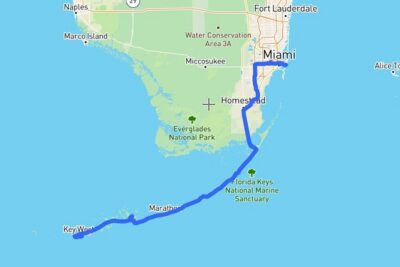 ★ 4.5Self-Guided Audio Tour in Florida KeysFrom $1684 reviews
 ★ 4.5Everglades National Park: Self Guided Driving Audio TourFrom $1658 reviews
 ★ 3.0Self-Guided Audio Tour – Little HavanaFrom $109 reviews
 ★ 3.0Fun Miami Beach Slingshot Adventure Self-Guided TourFrom $3008 reviews
 ★ 3.0Self-Guided Audio Tour – Miami Art DecoFrom $117 reviews
 ★ 4.0Big Cypress National Preserve Self Guided Driving Audio TourFrom $166 reviews
 ★ 5.0Miami Beach Smartphone Audio Walking TourFrom $106 reviews
 ★ 4.5Miami Beaches Self-Guided Driving Audio TourFrom $143 reviews
Browse the lists this tour appears in